
The defafult setting of the scanner is to output the driver's license data into a single line. If you need the scanner to output the driver license data into seperate lines, please kindly scan the first two configuration codes below. Thank you.
1. First scan "activate Datamatrix" code
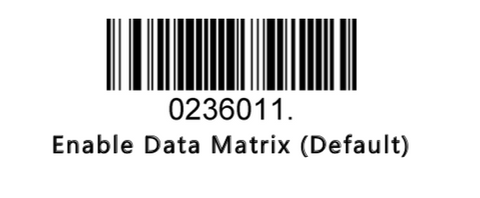
2. Scan "driver license data formatting" barcode
If you need to output the birth date in the format of MM/DD/YYYY, please scan the barcode below.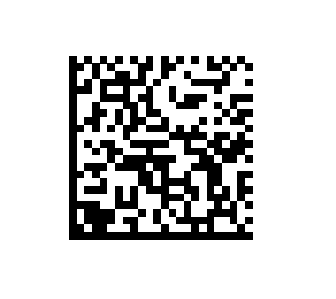
The driver's license data contains various personal information such as name, address, height, and weight. Our scanner can be configured to output this information in a sequence of your choosing.
For example, if you only want to output the first name, last name, and address, with each data field separated by a tab, the corresponding command string would be:^3080304;0803000099729999B00003444143F503F30A0bF7B00003444353F503F30A0bF7B00003444147F503F30A0bF7.
^3080304;0803000099729999 resets the previous programming settings and must be placed at the beginning of the data formatting string to format the driver's license data.
-
B00003444143F503F30A0bF7: This part of the string is used to display the content of element ID DAC(First Name). The hex value0brepresents the tab command, which separates each piece of data. (You check ASCII HEX Value list here.) -
B00003444353F503F30A0bF7: This part displays the content of element IDDCS(Family Name). -
B00003444147F503F30A0bF7: This part displays the content of element IDDAG(Address-Street). -
.(Dot): The dot at the end of the string indicates the conclusion of the command string.
Copy the command string above and use it to create the configuration code in Bartender software.
Command string list for driver's license is below:(0D in the string indicates the carriage return for seperating the fields and can be changed as you need.)
B00003444353F503F30A0DF7 is to display the content of element id DCS (Family Name)
B00003444144F503F30A0DF7 is to display the content of element id DAD (Middle Name)
B00003444143F503F30A0DF7 is to display the content of element id DAC (First Name)
B00003444147F503F30A0DF7 is to display the content of element id DAG (Address-Street)
B00003444149F503F30A0DF7 is to display the content of element id DAI (Address-City)
B0000344414AF503F30A0DF7 is to display the content of element id DAJ (Address – Jurisdiction Code)
B0000344414BF503F3200DF7 is to display the content of element id DAK (Address – Postal Code)
B00003444242F503F30A0DF7 is to display the content of element id DBB (Date of Birth)
B00003444159F503F30A0DF7 is to display the content of element id DAY (Eye Color)
B00003444155F503F30A0DF7 is to display the content of element id DAU (HEIGHT)
B00003444243F503F30A0DF7 is to display the content of element id DBC (Gender)
B00003444151F503F30A0DF7 is to display the content of element id DAQ (Customer ID Number (License No.)
B00003444241F503F30A0DF7 is to display the content of element id DBA (Expiration Date)
B000035a4743F503F30A0DF7 is to display the content of element id ZGC (Height) B00003444157F503F30A0DF7 is to display the content of element id DAW (Weight)
B0000344415aF503F30A0DF7 is to display the content of element id DAZ (Hair color)
B00003444244F503F30A0DF7 is to display the content of element id DBD (License issue date)
B00003444244F503F30A0DF7 is to display the content of element id DBD (License issue date) and seperate the filed by carriage return
You can check how to create configuration codes for our 2D scanners here.
If you have any questions, please contact us at support@teemistore.com.
Comments
0 comments
Please sign in to leave a comment.